HazMate Try the live demo
One hazmat reference for the responder on scene

A hazmat call is no time
to juggle four references.
Put them on one screen.

Your people already carry the answers: the ERG, the NIOSH Pocket Guide, CAMEO, the OSHA and NFPA texts. That's four sources, in gloves, in the dark, with the clock running. HazMate puts them on one screen and walks the call the way it actually runs: Identify, Assess, PPE, Decon.

Demonstration build. Runs in any phone browser. Nothing to install.
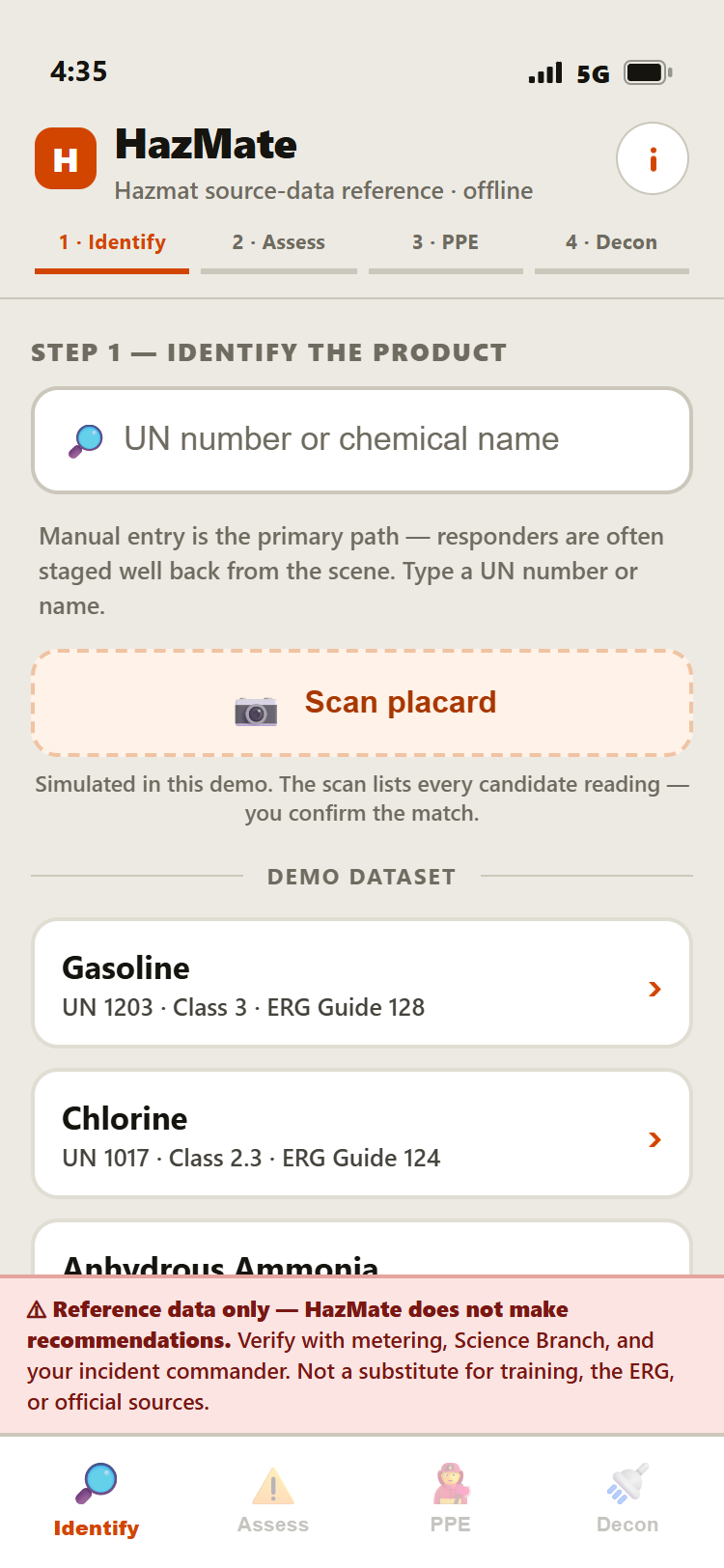
HazMate Identify screen: search by UN number or chemical name, or scan a placard

Step 1. Identify the product.

Built on the floor · shaped with working firefighters, not focus groups In early pilots · in the hands of hazmat responders now Straight from the source · official text, word for word, cited

The problem

The data isn't the problem. Finding it fast is.

Every number your crew needs on a hazmat call is already published, by DOT, NIOSH, EPA/NOAA, and OSHA/NFPA. The cost isn't the data. It's the juggling: four sources, under the clock, in gloves, in bad light.

Identify
DOT ERG

Placard, UN number, guide lookup. The orange book riding in the cab.

Assess
NIOSH Pocket Guide

IDLH, exposure limits, physical properties. A separate book or app.

Assess
CAMEO Chemicals

Hazard write-ups and response data. Another app, another search.

PPE + Decon
OSHA · NFPA

29 CFR 1910.120 PPE criteria and NFPA 472 decon definitions. Straight regulation text.

HazMate pulls all four onto one screen. Same data. Same wording. Laid out in the order the call actually runs.

How it runs

Identify → Assess → PPE → Decon

Four steps, same as the tab bar in the app. Every screen below is the live demo. No mockups.

1

Identify

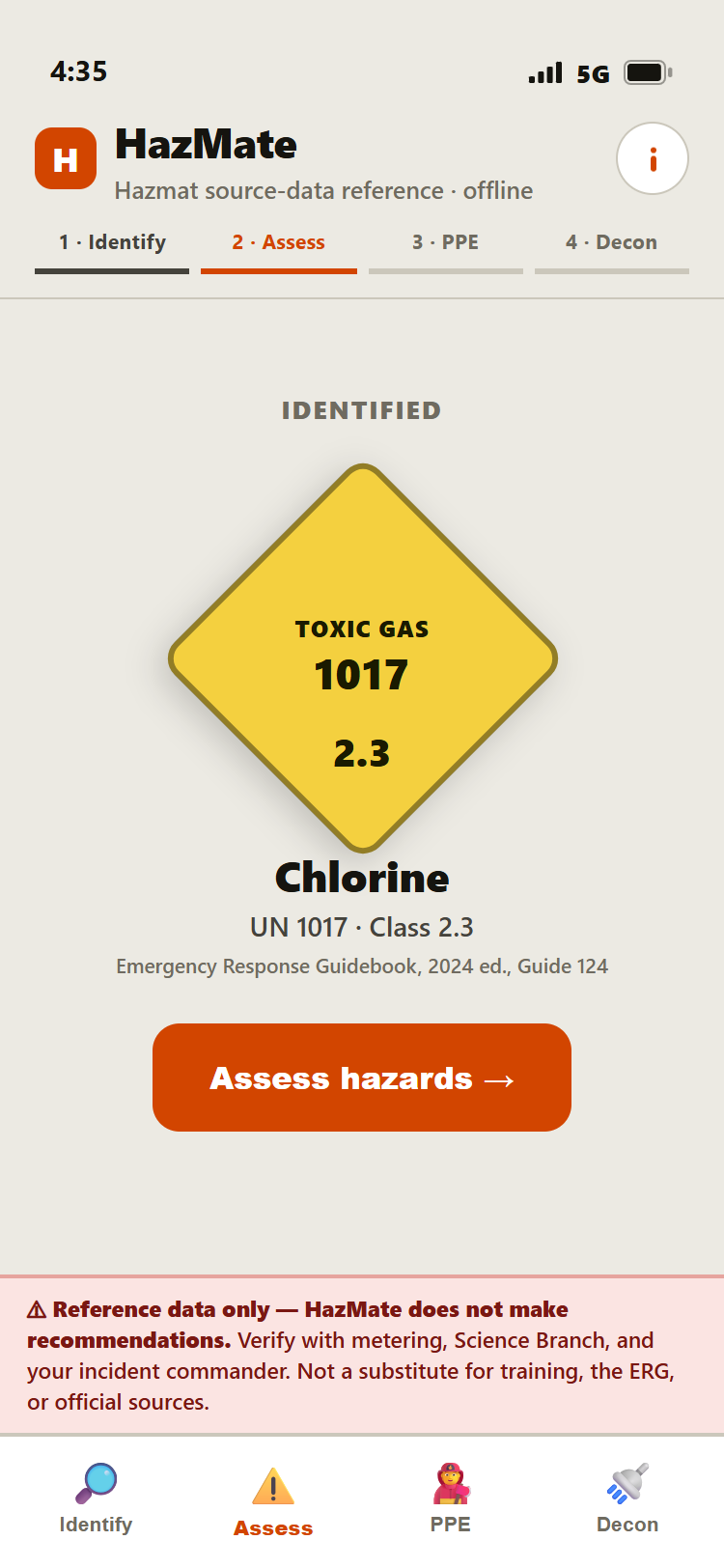
Type the UN number or name, or scan the placard. The scan lays out every possible match and your responder picks the right one. Nothing gets chosen for you.

HazMate showing the identified chlorine placard: UN 1017, Class 2.3 toxic gas, ERG Guide 124
2

Assess

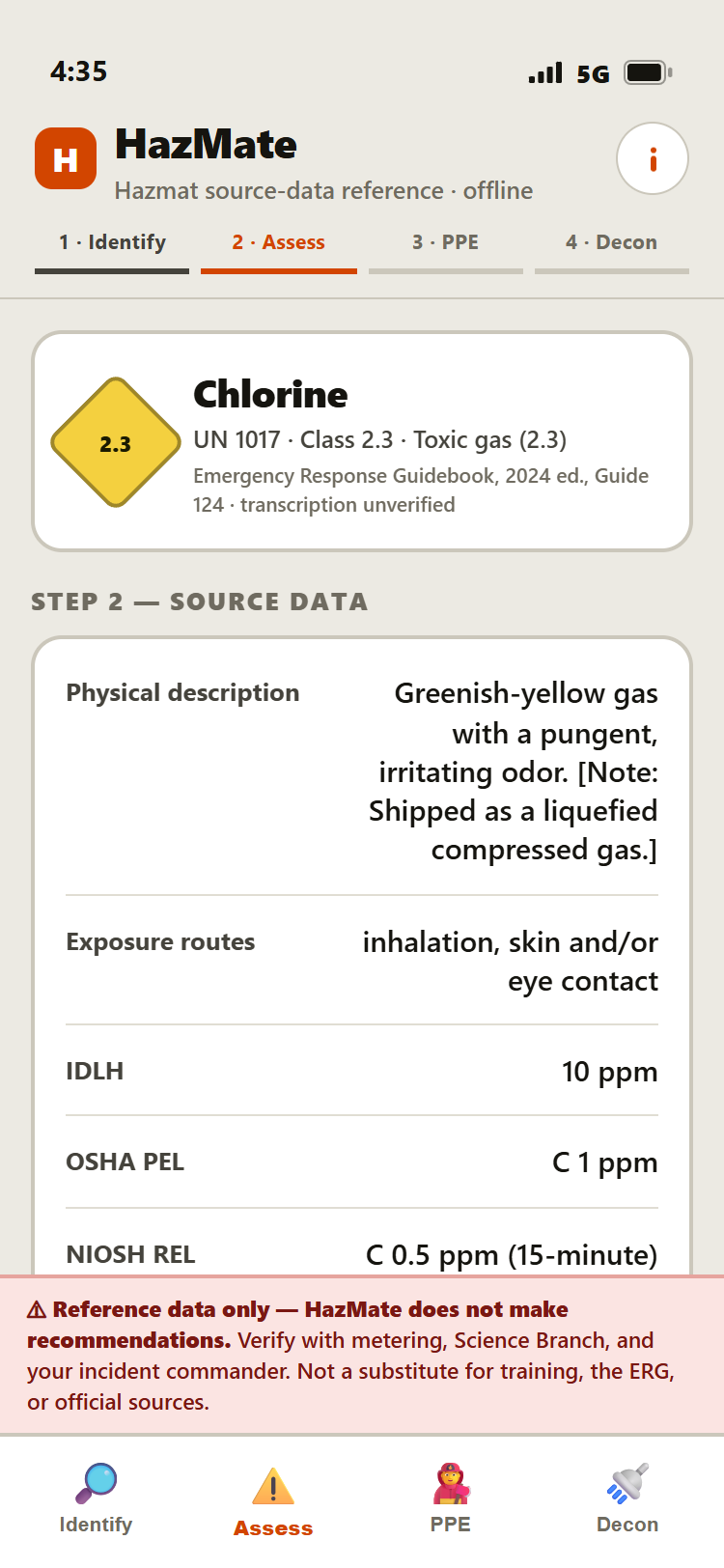
NIOSH Pocket Guide values and CAMEO hazard language, word for word, cited. IDLH, PEL, REL, physical description, exposure routes. All on one card.

HazMate Assess screen with cited NIOSH source data for chlorine: IDLH 10 ppm, OSHA PEL, NIOSH REL
3

PPE

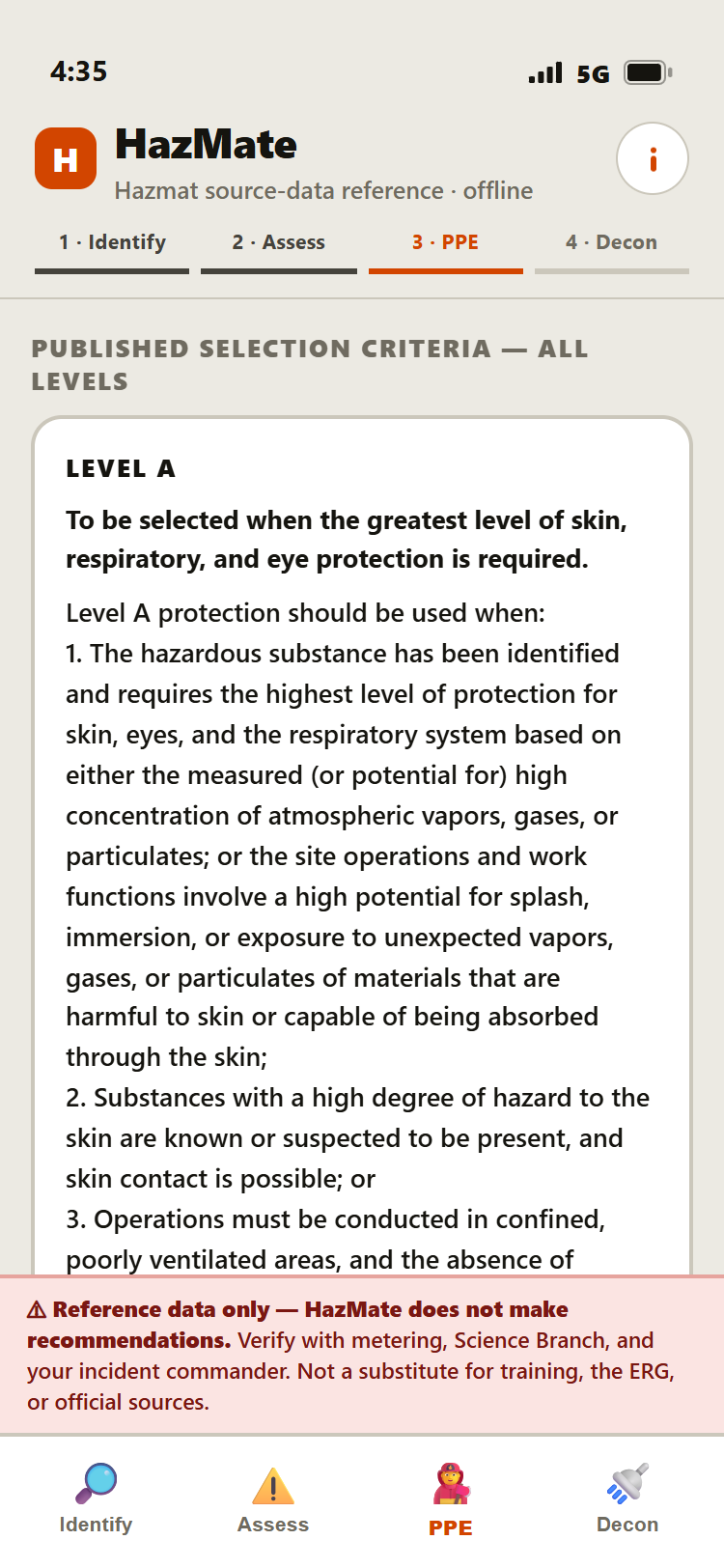
The published 29 CFR 1910.120 Appendix B criteria. All four levels, no thumb on the scale, next to the material's cited properties. Your responder makes the call on the level.

HazMate PPE screen showing OSHA 29 CFR 1910.120 Appendix B Level A selection criteria verbatim
4

Decon

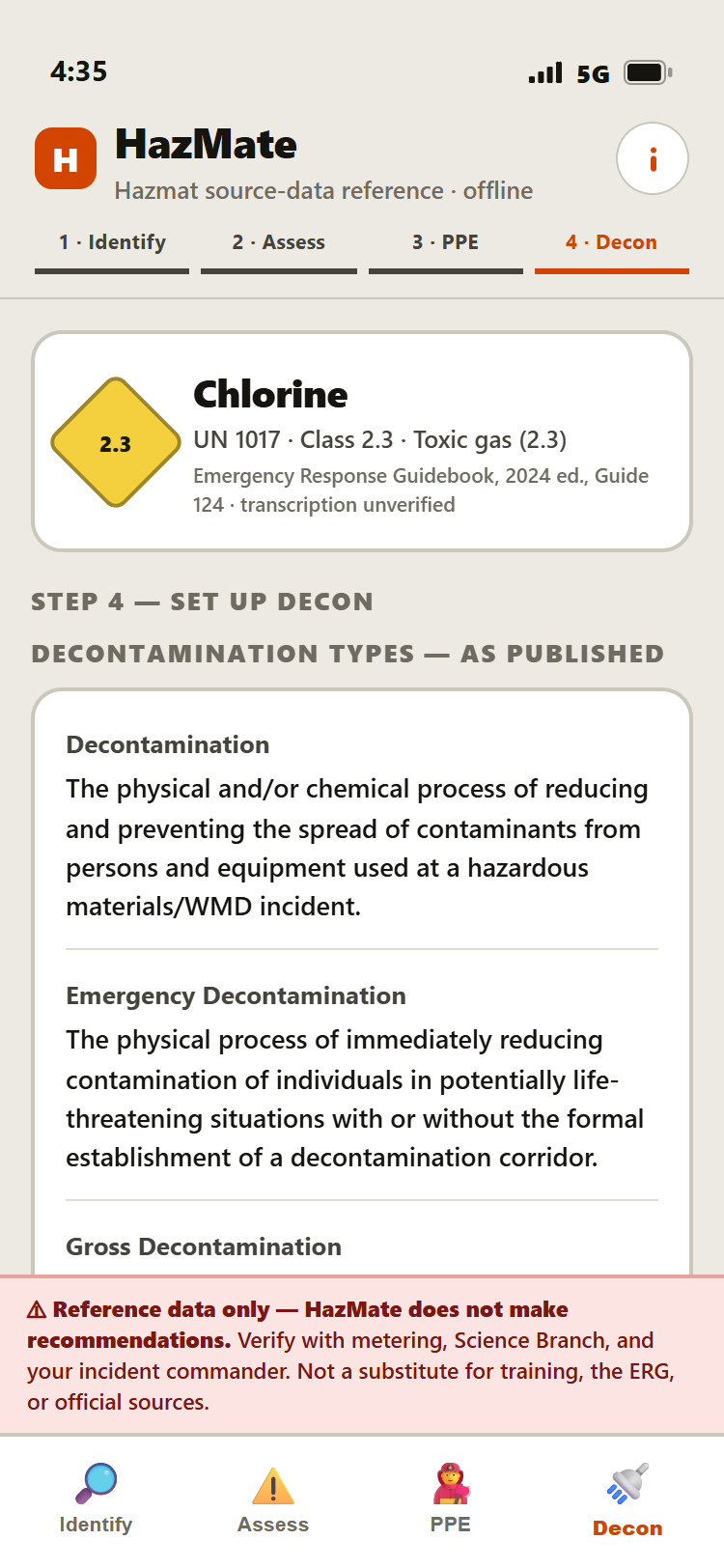
The NFPA decon definitions as published, then a corridor diagram and setup that redraw to the number of pools your team calls for.

HazMate Decon screen showing NFPA decontamination type definitions as published

Why you can trust it

HazMate doesn't make the call. It hands the official sources to the people who do.

On a hazmat scene, the call belongs to your IC and your responders. Period. HazMate is built to read the sources to them, not to think for them. That isn't a line in a brochure. It's enforced in the code.

  • Source text, word for word, citedOSHA criteria, NFPA definitions, NIOSH values, CAMEO language. Shown exactly as published, with the citation. Never reworded.
  • All four PPE levels, equal weightNo highlighted pick. No ranking. A through D sit side by side with the material's cited properties, and your responder reads them.
  • Fails closed, not openMissing data says "not listed." It never gets filled in with a guess. Pool count and decon-team PPE stay blank until your team sets them.
  • Nothing auto-selectedThe placard scan shows every possible reading. A person confirms the match, every time.
  • The disclaimer never leaves the screenA bar on every view, all the time: reference data only. Verify with metering, Science Branch, and your IC.

"Reference data only. HazMate does not make recommendations."

OSHA PPE selection criteria shown verbatim in HazMate

Published criteria, word for word

Peer incident history

What other departments actually did. Counts, not coaching.

At the decision point, HazMate can show what other departments logged on the same UN number. Which entry PPE level they went with. How many wash pools they set up. Plain counts, like "In 43 of 47 similar incidents, departments used Level A entry PPE." That's the whole feature. History, stated as history. Your crew still makes the call.

  • Every option looks the same. No highlighted pick, no ranking. Fixed A to D and low-to-high pool order. Even the zero-count options stay on screen ("0 of 47").
  • Official sources come first. The panel sits below the cited data, never in place of it.
  • Thin sample, no panel. Below a set number of logged incidents, or with no record on the material, it doesn't show at all.
  • Choices, never outcomes. It logs what departments used, never what "worked." In this demo the log is simulated, and the panel tells you so.
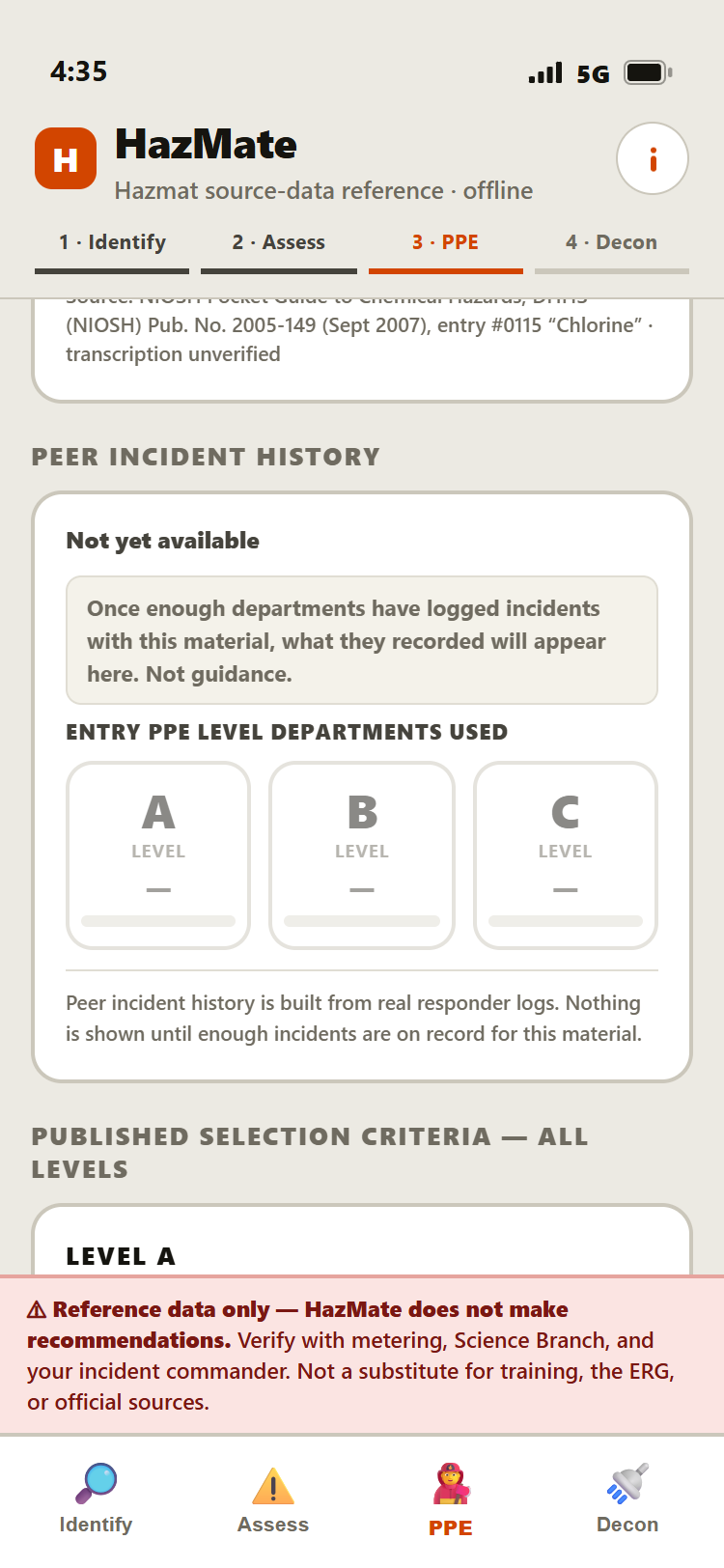
HazMate peer incident history panel for chlorine: in 47 logged incidents with UN 1017, departments used Level A entry PPE 43 times, Level B 3 times, Level C once, labeled not guidance

History at the decision point. Labeled "Not guidance."

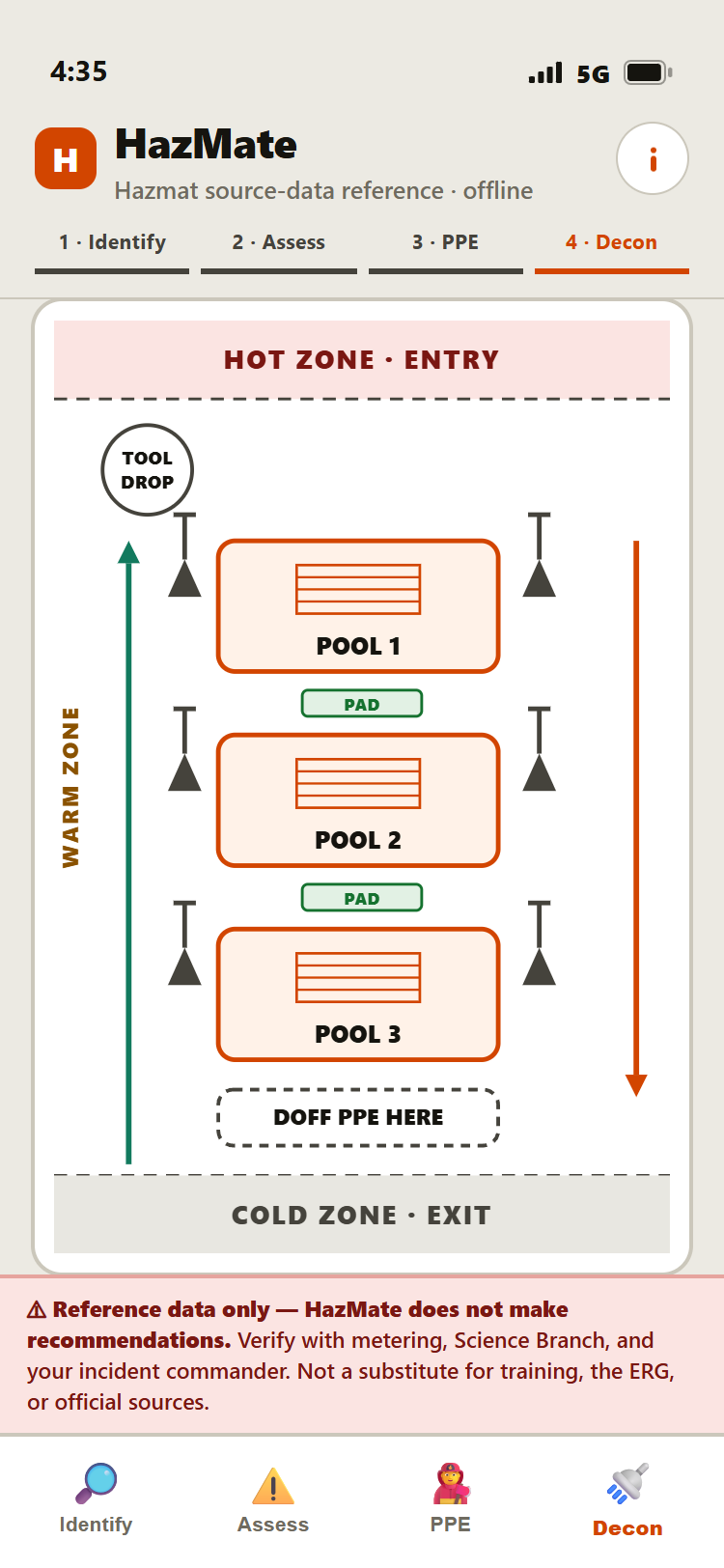
HazMate decon corridor diagram: hot zone entry, tool drop, three pools with grates and absorbent pads, doff point, cold zone exit

The corridor, drawn to your pool count

Decon corridor

The corridor your crew is about to build, on screen before they build it.

Shaped with working firefighters. Your team sets the pool count and the diagram redraws: tool drop, pools with grates, cone hand-holds, absorbent pads, doff point, zone bands, and the wind you're setting up against.

  • Guided setup, one step per screen with a picture, built from the pool count your team chose. Setup only. Your responders run the corridor.
  • Ambulatory and non-ambulatory layouts. Toggle and it redraws with Stokes on rollers.
  • The "often forgotten" checklist. Tarp, hoses, cones, grates, pads, tool drop. Tap to check them off.
  • Verify with Science Branch. One-tap dial to CHEMTREC, Poison Control, CANUTEC, SETIQ, and CDC/ATSDR, right on the Assess tab.

Get in touch

Get it in front of your crew.

HazMate is in early pilots with working firefighters, and we're bringing on more departments. Want a walkthrough? Want to put it in front of your hazmat team? Got a straight opinion from the field? Send a note. A real person reads it.

Or just pull up the demo on your phone right now: hazmate-demo.web.app